MxLoader now supports attachments
I have just implemented the capability to upload attachments straight from MxLoader. This is in response to some requests on my blog and MxLoader support forum.
Starting from Maximo 7.1.1.6 it is possible to import attachments to an object through MIF using Base64 encoding.
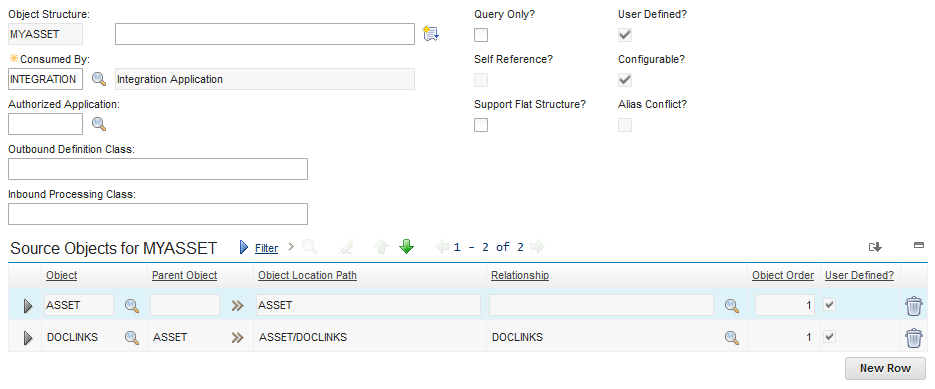
MxLoader has the capability to read files from the filesystem, encode them in Base64 and upload them on Maximo. This can be done on any Maximo object that supports attachments but the integration object structure has to be modified to include the DOCLINK object.
In this example the MYASSET object structure has been created with the DOCLINKS child object.
To specify a file to be encoded and uploaded you have to prefix the path of the file with the FileEnc:/ string.
Look at the screenshot below for an example of how to add two attachments to an asset. Note that the first file is using a relative path while the second uses an absolute path.
